

Where to Put Your Router — And Why Every Spot You've Tried Is Probably Wrong
I once knew a man — let’s call him Bob — who couldn’t understand why his Wi-Fi was so bad. He’d paid good money for a decent router. His internet plan was fast enough. But video calls dropped, streaming buffered, and the back bedroom was a dead zone.
A colleague went to his house to help. Found the router straight away. It was on a shelf. Under his desk. Tucked away behind a filing cabinet, a metal wastepaper bin, and a stack of old paperwork.
Bob’s computer wasn’t even connected to the router by cable. It was on Wi-Fi. So the signal had to fight its way out from under a desk, through the filing cabinet, around the bin, and across the room — all before it even reached his laptop sitting on the same desk.
I’m not making this up.
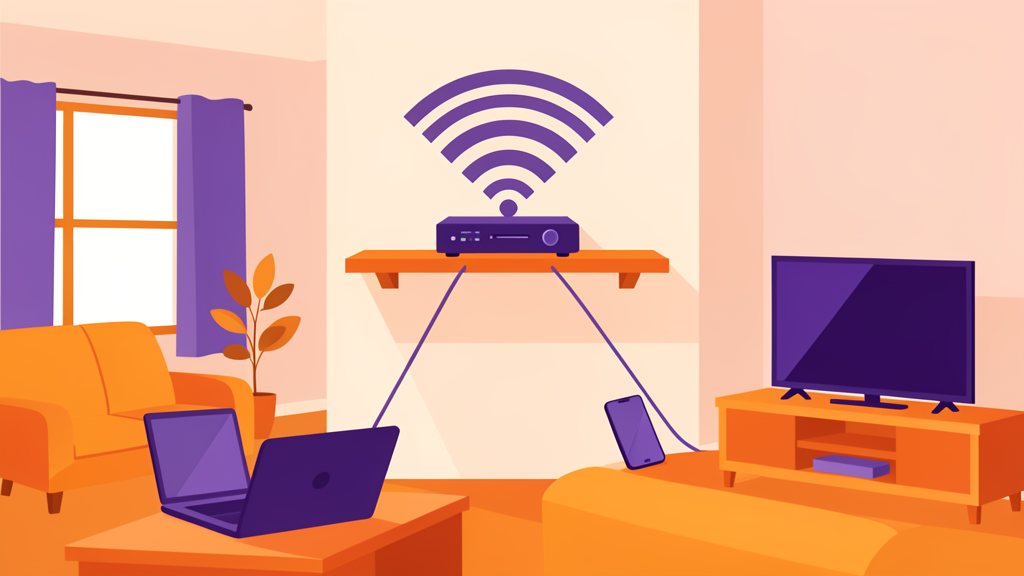
The three rules of router placement
Your router’s job is to send a signal in every direction. Like a light bulb in the middle of a room. If you put that light bulb in a cupboard, the room stays dark. Same with your router.
Rule 1: Put it central
Wi-Fi signals radiate outward in all directions. If your router is in the front corner of your house, half the signal is wasted on your front garden. The people in the back bedroom get whatever’s left.
Move it to the middle of your home. The living room, the hallway, the landing at the top of the stairs — anywhere that’s roughly in the centre. You don’t need to be exact. Within a few feet of the middle is fine.
Rule 2: Put it elevated
Wi-Fi signals spread downward and outward from the antenna. A router on the floor has to push through floorboards, carpet, furniture, and every bit of clutter between it and your devices.
Put it on a shelf — a high shelf, not one under a desk. On a bookcase. On top of a cabinet. On a shelf in the hallway. The higher, the better.
Rule 3: Put it in the open
Not inside a cabinet. Not behind the TV. Not in a cupboard under the stairs. Not in the corner of the garage.
Every object between the router and your devices weakens the signal. A wooden cabinet door can cut your speed by a quarter or more. A metal cabinet — well, that might as well be a brick wall.
Quote
But my Windows expert friend told me to put it on the shelf under my desk!
— Mike's old boss, Bob
Bob’s Windows expert friend meant well. But he was still wrong. Routers need to breathe. They need to be seen. If you can see the router from where you’re sitting, the Wi-Fi will be good. If there are walls and furniture in between, it will be worse.
What actually kills Wi-Fi (some of it will surprise you)
Some things block Wi-Fi signals more than you’d expect. Here are the usual suspects, ranked from “I should have guessed” to “no way.”
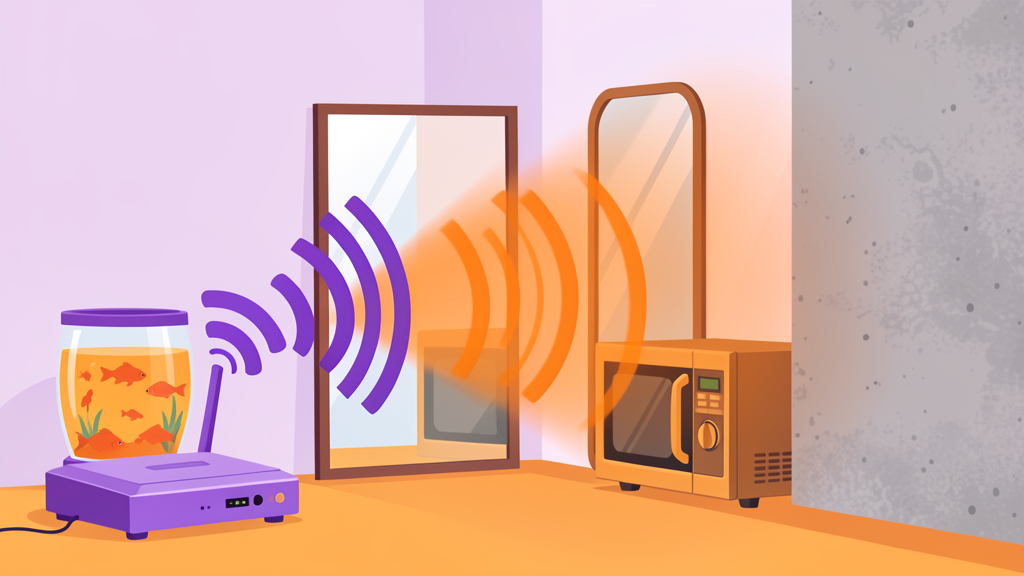
Concrete and brick walls
A single concrete wall can reduce your Wi-Fi signal by 90%. That’s not an exaggeration. If your router is in the living room and your bedroom is on the other side of a concrete wall, that wall is the problem, not your router.
This is the most common issue in modern homes and apartments. The fix is either moving the router to the other side of that wall, or adding a mesh node (we covered this in the wired vs mesh guide).
Metal ductwork
Heating and air conditioning ducts run through walls and ceilings. They’re made of metal. Wi-Fi hates metal. If your router is in the basement and your office is on the second floor, the metal ductwork between them is making your life worse.
Mirrors
The back of a mirror has a metallic coating. A large mirror — like the one in your hallway or bathroom — acts like a Wi-Fi shield. If your router is on one side of a big mirror and your laptop is on the other, you’re losing signal.
Fish tanks
Water absorbs Wi-Fi. A 50-gallon fish tank is basically a big damp sponge sitting in your living room. If the router is on one side and the couch is on the other — well, Nemo’s not helping.
Your microwave
Your microwave operates at 2.4 GHz. Same frequency as your Wi-Fi’s 2.4 GHz band. When you microwave popcorn, you’re blasting noise across the most important frequency for your smart home devices. If your router is near the kitchen, your smart plug might drop every time someone heats up leftovers.
Large appliances
Fridges, washing machines, tumble dryers — anything big and full of metal or water. A fridge is a metal box with water and food inside it. That’s pretty much a Wi-Fi nightmare. Keep your router away from the kitchen if you can.
One further suggestion
Your router is moost likely places more or less where the Internet cable enters your house. Perhaps it was installed before you moved in, or at least before you read this guide. Many ISPs will move it so that it enters your house where you need it - probably near the center. I’ve had this done several times (I move a lot) and no ISP has chanrged me yet. Mostly they even patch the old hole in the wall while they are there. Be nice to the installers. Offer to make coffee.
The one thing that fixes more problems than any new router
If you can run one Ethernet cable — just one — run it from your router into the room where you actually use the internet. Plug a small switch (about $15) into the other end. Now every device in that room can have a wired connection.
Your laptop, your TV, your game console — all wired. Faster, more reliable, zero interference. And the Wi-Fi in that room suddenly gets better too, because those devices aren’t competing for wireless bandwidth anymore.
How to run the cable without making your house look like a data centre:
- Along the baseboard with small cable clips (they cost about $5 for a pack of 20)
- Under the edge of the carpet (flat cables work best for this)
- Through the attic or crawl space if you have one
- Behind furniture that’s against the wall
It doesn’t need to look invisible. It needs to work. If it’s in a spot where someone might trip, get a cable cover strip — they’re cheap and lie flat on the floor.
The other thing you may not know
I mentioned this in the wired vs mesh guide, but it’s worth repeating here because it’s the second most common mistake people make right after putting the router in a bad spot.
If you buy a mesh system, connect the nodes to each other with a cable if you possibly can.
A colleague of mine — let’s call him Dave — installed a mesh system in his house. Top of the range. Expensive. He kept glitching on Teams calls. Dropping out mid-sentence.
He had the mesh nodes all talking to each other wirelessly. Every hop between nodes cut his speed roughly in half. By the time the signal reached his office, it was slower than a cheap router would have been.
I suggested he had got tangled in his mesh. He didn’t find that as funny as I did.
The fix was simple: run one cable from the main mesh node to the satellite in his office. Suddenly, perfect Teams calls. Wired backhaul — that’s the term — makes mesh systems work the way they’re supposed to.
The free fixes checklist
Before you spend any money, try these:
- Move your router. Even moving it three feet can make a dramatic difference. Try the coffee table test.
- Put it on a higher shelf. The difference between floor level and waist height is huge.
- Clear the area. Move anything metal, large, or electronic away from the router.
- Rotate the antennas. If your router has external antennas, experiment with angles. Vertical antennas reach across floors. Angled antennas cover the same floor better.
- Check what’s in the way. Walk from your router to the room with bad Wi-Fi. Count the walls. Note anything large or metal in between. That’s your problem.
- If necessary, move the entry point If your router is stuck in a bad place, all is not lost. Your ISP can probably move it. If you’re really lucky, you might even get an upgraded modem or router!
What to do now
- Walk around your house with your phone. Note where the Wi-Fi is good and where it’s bad
- Find your router. Is it in a central spot? Is it elevated? Is it out in the open?
- If not, move it. Even temporarily. See if things improve
- Look around your router. Move anything metal, electronic, or watery away from it
- If one room is the problem, plan one Ethernet cable run to that room
- If you have a mesh system, check whether the nodes are talking wirelessly or wired. If wireless, and your work depends on it, run a cable between them
Read this next: How to Run a Proper Speed Test — most people do it wrong. Here’s how to actually measure what your Wi-Fi is doing.
Want the full guide? We’re building a complete home networking book with detailed setup instructions, gear recommendations at every budget, and a complete security chapter that won’t put you to sleep. Sign up to hear when it’s ready.